Share a window,
not your screen.
Limelight lets you present a single window — or a custom composition — on projectors and in meetings. No clutter, no distractions, just what matters.
Windows & Linux coming soon
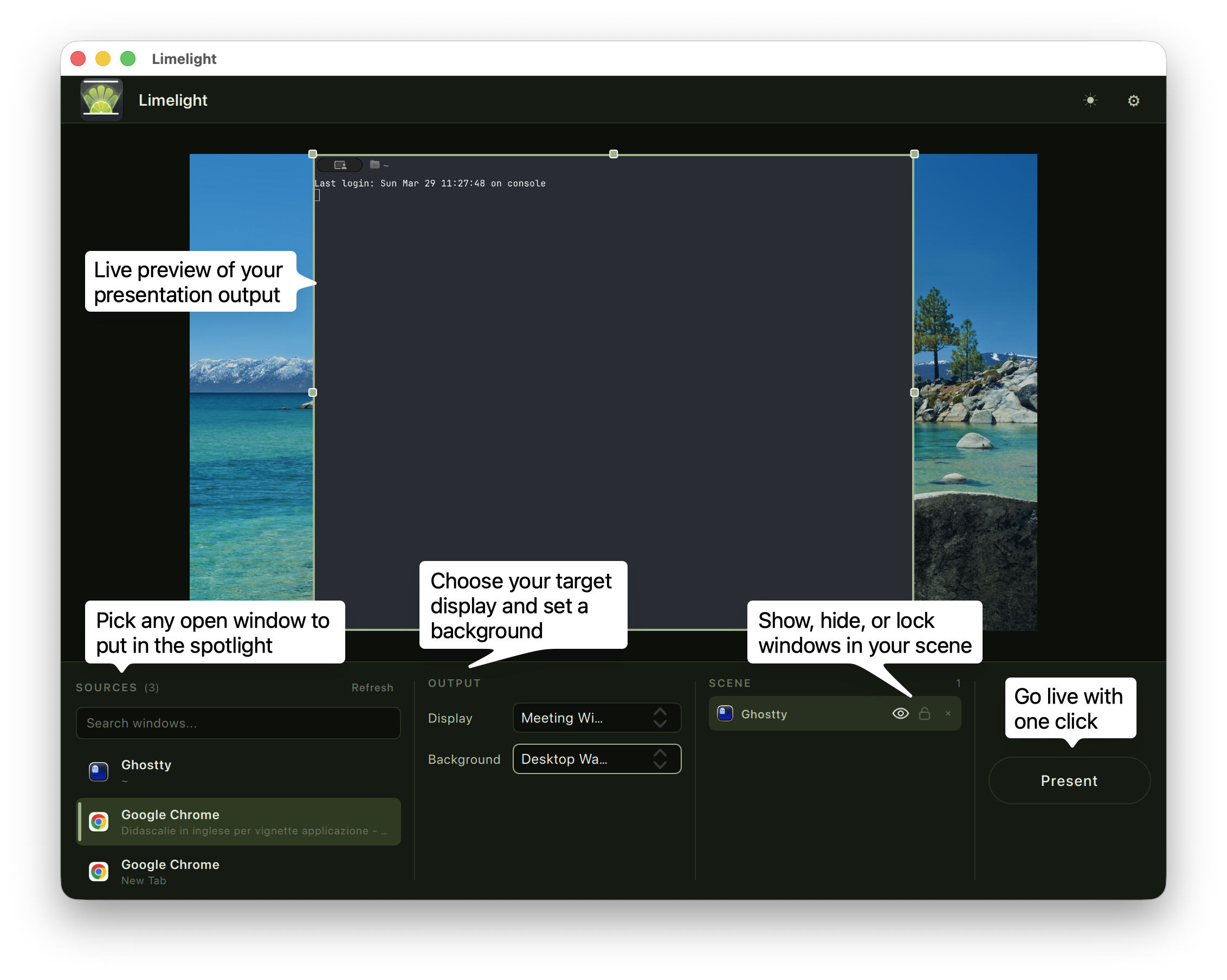
Everything you need to present like a pro
Limelight gives you full control over what your audience sees, while keeping your workspace private.
Single Window Sharing
Present just one window without exposing your entire desktop. No more awkward notification pop-ups or private tabs.
Multi-Window Composition
Compose multiple windows into a single view — OBS-style layouts for professional, polished presentations.
Color Laser Pointer
Highlight what matters with a built-in laser pointer. Choose from multiple colors to draw attention to key areas.
Private Presenter Notes
Pin a transparent overlay only you can see. Read your notes during presentations without the audience knowing.
See Limelight in action
Clean, focused presentations that keep your audience engaged and your desktop private.
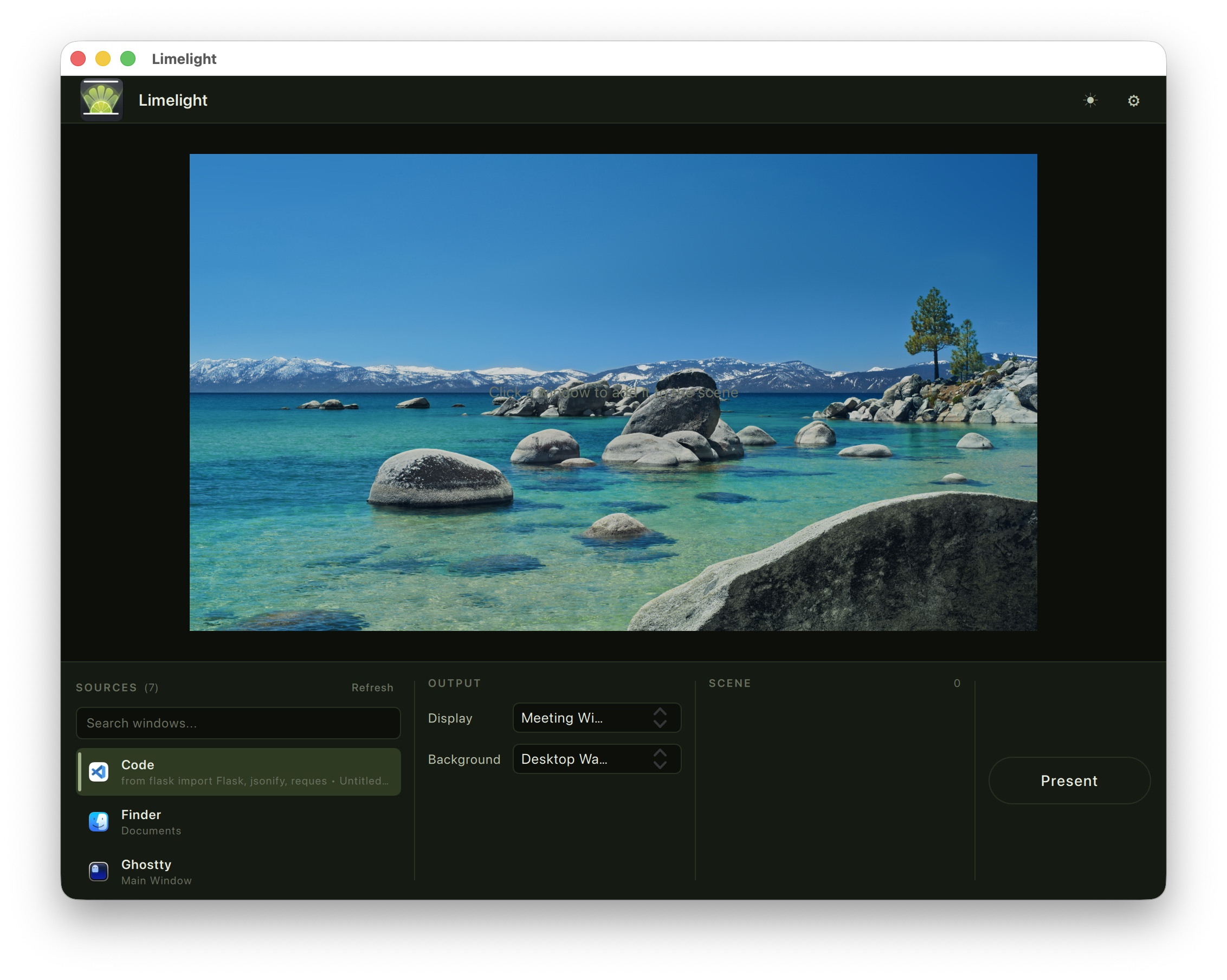
Clean, focused interface
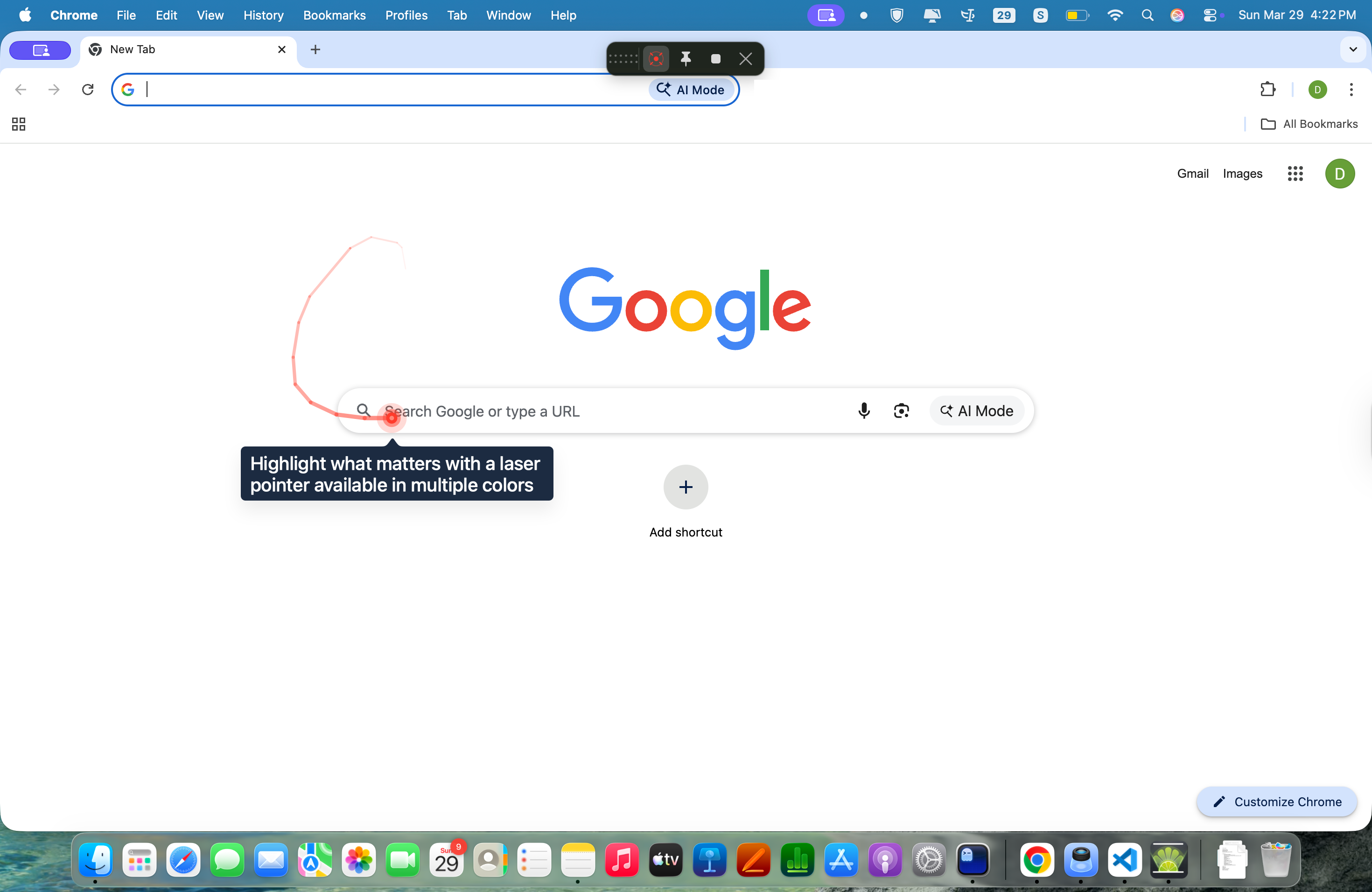
Color laser pointer with trail
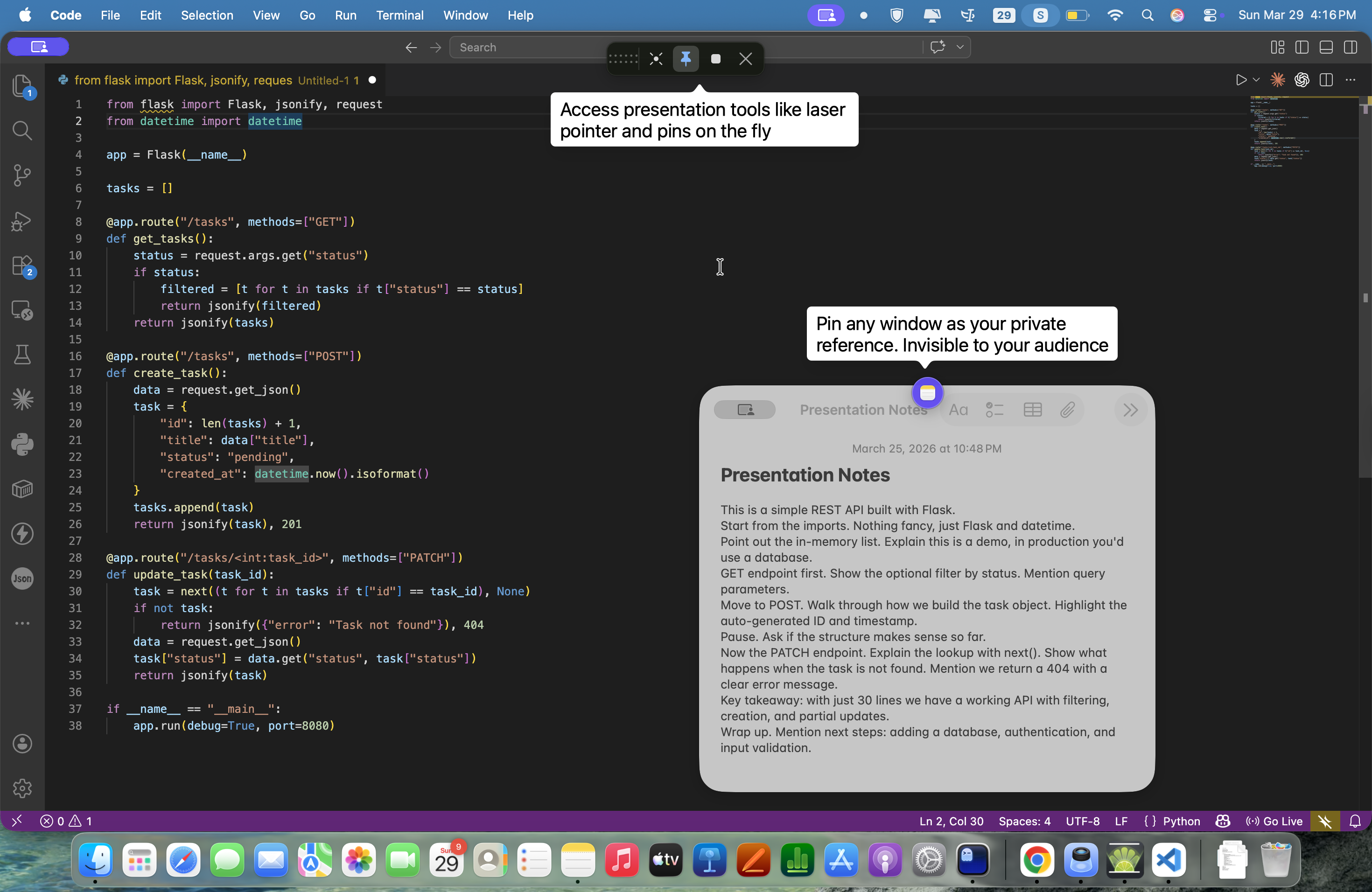
Presenter toolbar & private notes
Simple, transparent pricing
Choose the plan that works for you. Subscriptions include every feature and every update. Lifetime includes everything available at purchase time. A free 30-minute trial starts inside the app and is locked to that Mac.
Monthly
Full access, cancel anytime
- All features included
- All future updates
- Priority support
Annual
Save 25%
- All features included
- All future updates
- Priority support
Lifetime
One-time purchase
- All current features included
- No recurring payments
- New features available as add-ons
You will enter your email after choosing a plan. Limelight uses it for receipts, license delivery, billing changes, and purchase recovery.
Ready to present with confidence?
Download Limelight for free and start your trial today. Available now on macOS — Windows and Linux coming soon.
Requires macOS 13 or later on an Apple Silicon Mac
Opening Limelight on macOS
Limelight is currently distributed without Apple notarization, so macOS will ask you to confirm you trust it the first time. It only takes a minute.
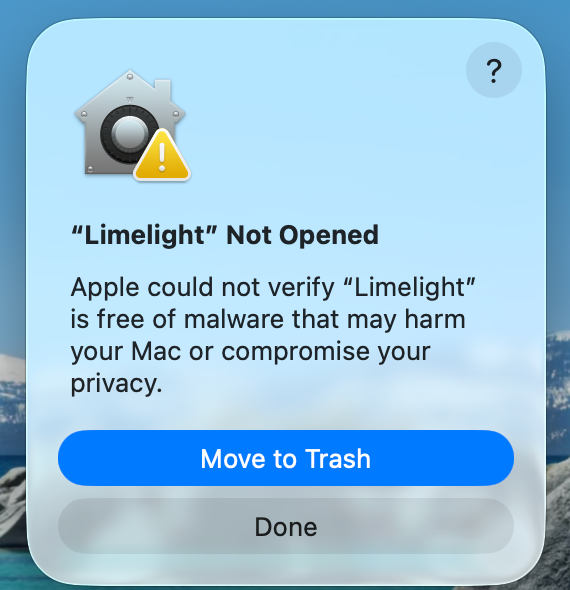
Open the app — macOS blocks it
Double-click Limelight from Applications. macOS shows a "Not Opened" warning — click Done. This is expected.
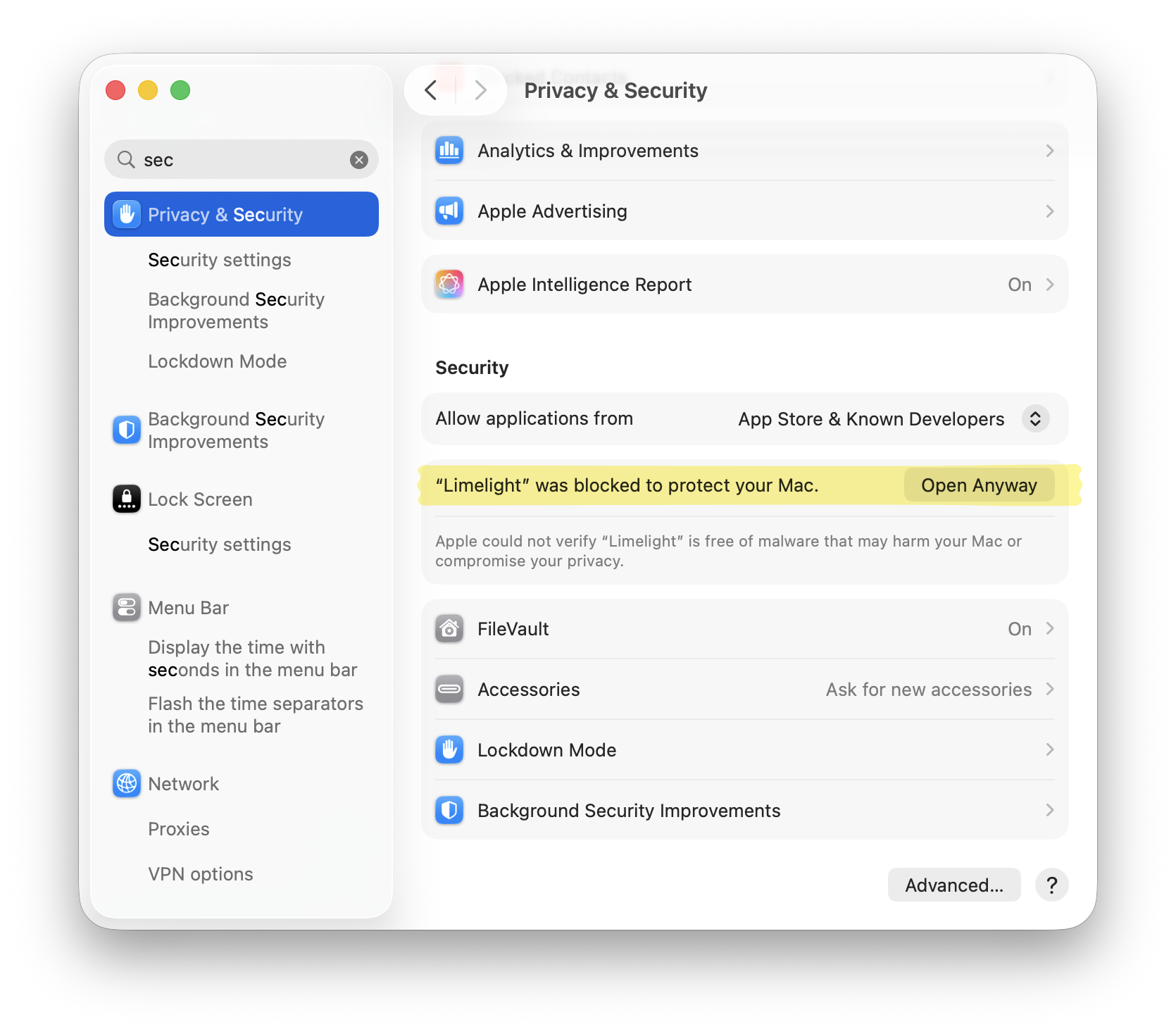
Allow it in Privacy & Security
Go to System Settings → Privacy & Security. You'll see a banner — click Open Anyway. If it is not there, try opening Limelight again first.
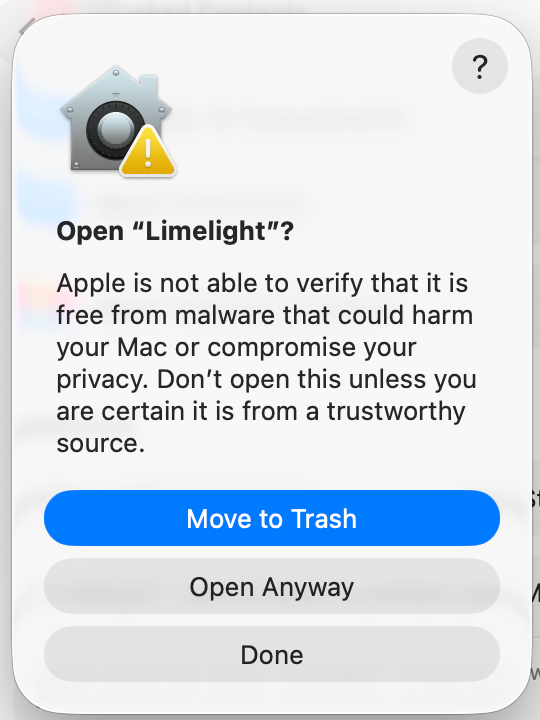
Confirm and you're in
macOS asks one last time — click Open Anyway (or Open, depending on your macOS version). If prompted, use Touch ID or your normal Mac login password. Future launches of that installed copy should then open normally.
Why does this happen? Limelight is an independent early-access project distributed without Apple notarization. macOS therefore asks you to approve this first launch manually. No Apple ID, Developer account, or Terminal command is required.